
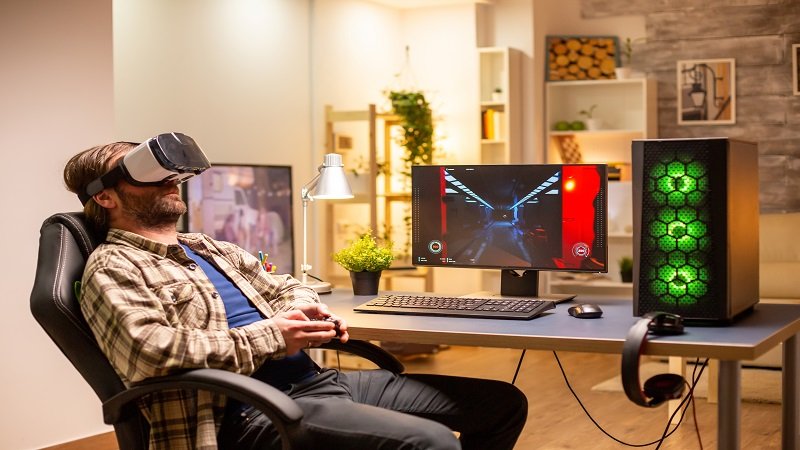
Gaming has become more than a hobby for millions of people around the world. Many gamers invest time, money, and effort into building the perfect gaming setup. A powerful PC, mechanical keyboard, ultra-wide monitor, gaming chair, and premium accessories create a complete environment that supports comfort and performance. When relocation enters the picture, many gamers worry about protecting their valuable equipment. Nobody wants damaged hardware, missing accessories, or tangled cables after a move.
The process may seem stressful, but proper planning can help gamers relocate without losing gaming setup EuroGamersOnline style. Smart preparation, careful packing, and organized transportation can protect every piece of equipment during the move. Gamers can continue enjoying smooth gameplay after settling into a new home without major interruptions.
Understand the Value of Your Gaming Setup
Every gaming setup carries financial and emotional value. Some players spend years upgrading their systems piece by piece. Others customize their rooms with RGB lighting, shelves, sound systems, and collectibles. Before relocation begins, gamers should evaluate the importance of each item.
A complete setup may include:
- Gaming PC or console
- Monitors
- Mechanical keyboards
- Gaming mouse
- Headsets
- Speakers
- Microphones
- Streaming equipment
- VR headsets
- Gaming chair
- Cable management accessories
- External storage devices
Creating a checklist helps gamers avoid confusion during the move. A written inventory also reduces the risk of losing smaller accessories such as adapters, USB drives, or charging cables.
Back Up Important Gaming Data
Data protection plays a major role during relocation. Hardware can survive transportation, but data loss can destroy years of progress. Gamers should create backups before disconnecting their systems.
Cloud storage provides one of the safest solutions. Platforms like Steam Cloud, Xbox Cloud Gaming, and PlayStation Plus allow players to save game progress online. External hard drives also provide additional protection for screenshots, recordings, mods, and personal files.
Gamers should back up:
- Saved games
- Mods
- Streaming overlays
- Video recordings
- Personal settings
- Drivers
- Important documents
A backup ensures quick recovery if technical problems appear after the move.
Clean the Gaming Equipment Before Packing
Dust and dirt can damage sensitive components during transportation. Cleaning the setup before packing improves safety and helps gamers organize their equipment properly.
Gamers should use:
- Microfiber cloths
- Compressed air
- Cable ties
- Cleaning wipes
Removing dust from cooling fans, keyboards, and monitor vents prevents overheating later. Clean devices also reduce the chance of scratches and internal debris buildup.
Organize Cables Properly
Cable management becomes extremely important during relocation. Loose cables create confusion and waste time during setup installation. Many gamers own dozens of wires connected to monitors, consoles, audio systems, and charging docks.
Labeling every cable simplifies the process. Small stickers or tags can identify:
- HDMI cables
- Power cables
- USB connectors
- Ethernet cables
- Audio cables
Gamers can also take photos of their setup before disconnecting everything. These pictures help recreate the exact arrangement after relocation.
Cable organizers and zip ties keep wires neat and prevent tangling during transportation.
Use Original Packaging Whenever Possible
Original boxes offer the best protection for gaming hardware. Manufacturers design these packages specifically for sensitive electronics. Foam inserts, protective wraps, and custom compartments reduce movement during transit.
Gamers should store original packaging for:
- Graphics cards
- Consoles
- Monitors
- Keyboards
- VR systems
If original boxes are unavailable, sturdy cardboard boxes with bubble wrap can provide solid protection. Thick padding around corners helps prevent cracks and scratches.
Protect the Gaming PC During Relocation
Gaming PCs require extra care because they contain fragile internal components. Graphics cards, cooling systems, and glass panels can suffer damage if movers handle the case roughly.
Before moving the PC, gamers should:
- Remove the graphics card if possible
- Secure internal cables
- Protect glass panels with foam
- Wrap the case in blankets or bubble wrap
Transporting the PC upright reduces stress on internal hardware. Gamers should also avoid stacking heavy items on top of the computer case.
Laptops also need protection. Padded laptop bags and waterproof covers help keep portable gaming systems safe during travel.
Secure Monitors and Displays
Monitors rank among the most fragile gaming accessories. A single crack can ruin expensive screens instantly. Gamers should never place monitors loosely inside moving trucks.
Safe monitor packing includes:
- Soft microfiber wrapping
- Bubble wrap protection
- Strong cardboard support
- Upright positioning
Large curved monitors need extra padding around edges. Gamers should also separate monitor stands from screens to avoid pressure damage.
Protect Consoles and Accessories
Consoles such as PlayStation, Xbox, and Nintendo Switch require careful handling. Dust, moisture, and impact can affect performance after relocation.
Gamers should:
- Remove discs from consoles
- Disconnect accessories
- Store controllers separately
- Use padded carrying cases
Portable gaming systems need waterproof storage during long-distance moves. Small accessories such as charging docks and memory cards should stay inside labeled containers.
Choose Reliable Movers
Professional movers can make relocation much easier, especially for gamers with expensive setups. Not every moving company understands the importance of gaming hardware, so careful research matters.
Gamers should look for movers that offer:
- Electronics handling experience
- Insurance coverage
- Fragile item transportation
- Climate-controlled vehicles
Reading reviews can help identify trustworthy services. Many gamers also prefer transporting high-value equipment personally rather than placing it inside moving trucks.
Prepare for Internet Setup in Advance
A gaming setup depends heavily on internet connectivity. Slow installation or network delays can interrupt gaming sessions for days after relocation.
Gamers should contact internet providers before moving day. Scheduling installation early helps avoid unnecessary downtime.
Important internet considerations include:
- Fiber availability
- Router placement
- Ethernet access
- Download speeds
- Upload speeds for streaming
Online gamers and streamers especially benefit from stable high-speed connections.
Plan the New Gaming Space
Relocation creates an opportunity to improve the gaming environment. Instead of rushing the setup process, gamers should plan their new space carefully.
A good gaming room should provide:
- Proper ventilation
- Comfortable seating
- Good lighting
- Cable organization
- Noise control
Desk placement also affects comfort and performance. Positioning monitors away from direct sunlight reduces glare and heat buildup.
Gamers who stream content may also need acoustic panels, green screens, or additional lighting equipment.
Test Equipment After Arrival
After relocation, gamers should inspect every device carefully before use. Small transportation issues can sometimes remain hidden until startup.
Testing should include:
- Power connections
- Monitor displays
- Audio systems
- Cooling fans
- Internet connection
- Peripheral functionality
Checking equipment immediately allows quick action if problems appear.
Avoid Common Moving Mistakes
Many gamers damage their setups because they rush the relocation process. Simple mistakes can create expensive consequences.
Common mistakes include:
- Leaving cables loose
- Overpacking boxes
- Skipping backups
- Using weak packaging
- Ignoring moisture protection
- Stacking heavy objects on electronics
Patience and organization reduce risks significantly.
Keep Collectibles and Decorations Safe
Gaming rooms often include collectibles, figurines, posters, and limited-edition merchandise. These items may hold sentimental value alongside financial worth.
Gamers should wrap collectibles individually and store them inside reinforced boxes. Posters and artwork should travel inside protective tubes or flat containers.
RGB lighting strips and decorative accessories also need careful removal to avoid tearing or cable damage.
Relocation Tips for Streamers and Content Creators
Streamers usually own more complex gaming setups than casual players. Cameras, microphones, lighting systems, and dual-PC streaming rigs require extra planning.
Content creators should:
- Label all streaming equipment
- Backup video projects
- Protect camera lenses
- Pack microphones carefully
- Separate audio interfaces
Streamers may also need temporary backup equipment if relocation interrupts content schedules.
Budget for Unexpected Expenses
Relocation often includes hidden costs. Gamers may need replacement cables, surge protectors, or upgraded furniture after arriving at the new location.
Creating a relocation budget helps manage expenses more effectively.
Potential costs may include:
- Packing supplies
- Internet installation fees
- Furniture upgrades
- Equipment repairs
- Insurance coverage
A financial plan prevents unnecessary stress during the move.
Maintain a Relocation Checklist
A checklist keeps the process organized from start to finish. Gamers can track packed items, moving dates, and setup priorities easily.
A simple relocation checklist may include:
- Backup gaming files
- Clean all equipment
- Label cables
- Pack accessories
- Protect monitors
- Secure gaming PC
- Arrange internet installation
- Inspect equipment after arrival
This approach reduces confusion and helps gamers settle faster.
Why Organization Matters
Relocation without planning often creates frustration. Missing accessories, damaged hardware, and tangled wires can delay gaming for weeks. Organization transforms a stressful process into a manageable experience.
Gamers who prepare properly can reconnect their systems quickly and return to their favorite titles without major issues.
The phrase relocate without losing gaming setup EuroGamersOnline reflects a smart moving strategy that protects both hardware and gaming enjoyment.
Final Thoughts
Relocation does not have to ruin a gaming setup. Careful planning, proper packing, and organized transportation can protect every component successfully. Gamers who focus on preparation can avoid expensive damage and unnecessary stress.
A gaming setup represents creativity, passion, and dedication. Protecting that investment should remain a top priority during any move. With the right approach, gamers can relocate smoothly, rebuild their setup quickly, and continue enjoying immersive gaming experiences in their new space. See more